Stay in Flow While
Your Agents Keep Working.
Shelly is a native macOS floating overlay for AI coding agents. Monitor, approve, and respond to Claude Code — without ever leaving your editor.
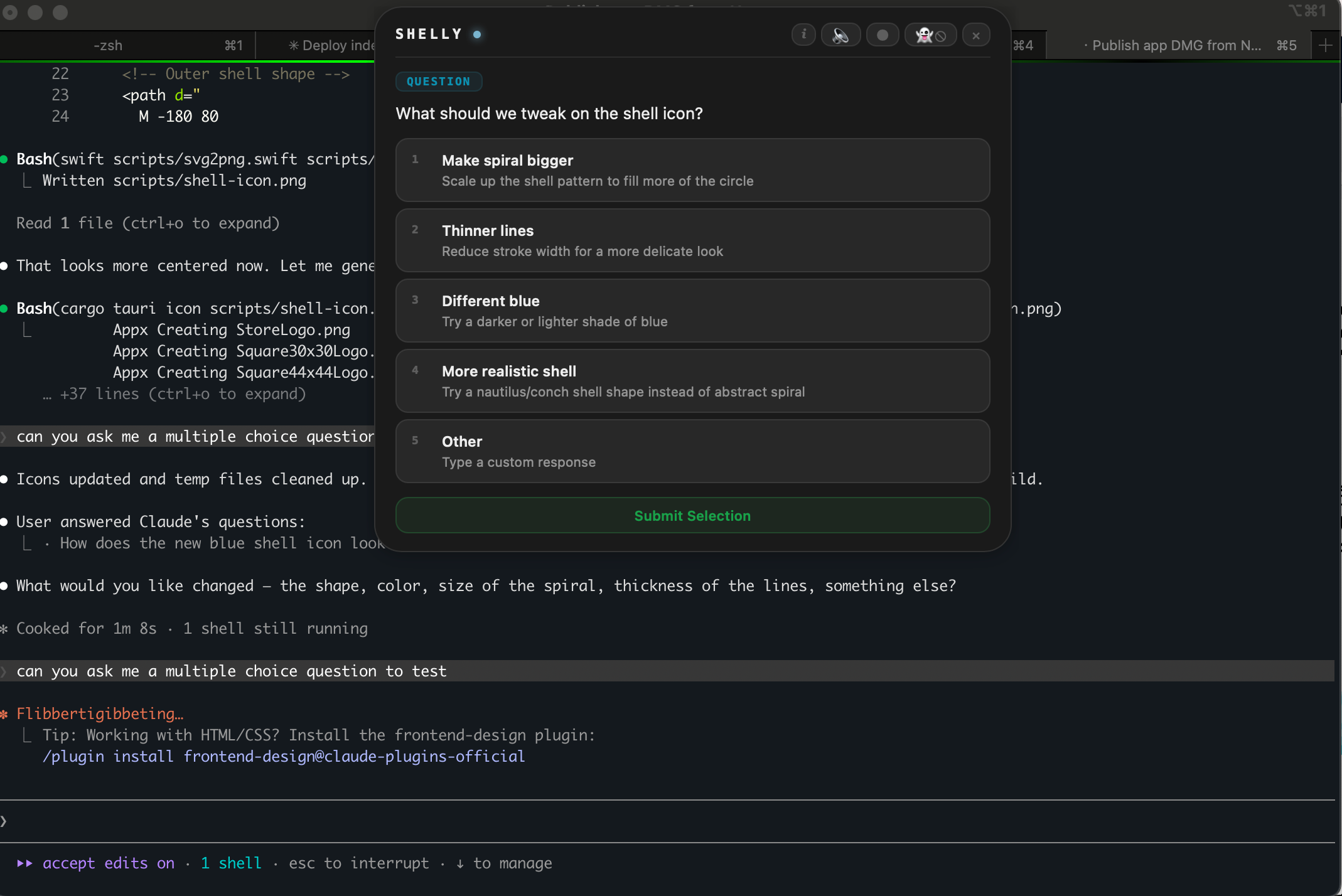
How It Works
Shelly hooks into Claude Code so you never switch to the terminal
Launch Shelly
Hooks are auto-installed on launch and cleanly removed on quit. Zero configuration needed.
Keep Coding
Shelly floats at the top of your screen. When Claude Code needs input, Shelly intercepts it and shows a beautiful UI.
Respond Instantly
Answer questions, approve permissions, and dismiss notifications — all with a click or keyboard shortcut.
Key Features
A beautiful glass-style control surface for your AI coding agents
Multi-Choice Questions
When Claude Code asks a question, Shelly shows the options as clickable buttons. Select by clicking or pressing number keys (1-9).
Permission Approvals
Three-button permission dialog: Yes (allow once), Always (never ask again), or No. Use keyboard shortcuts Cmd+Y and Cmd+N.
Ghost Mode
Toggle ghost mode and the window hides after you respond, only popping back when there's something new. Includes animated feedback overlays.
Three Themes
Liquid Glass with frosted blur and shimmer animation, clean White, or solid Dark. Cycle with one click.
8-Bit Sound Alerts
Synthesized sound effects for notifications, permissions, questions, completions, and responses. Mute with one click.
Privacy First
Server listens on 127.0.0.1 only. No data leaves your machine. Auto-updates via GitHub Releases.
Architecture
A lightweight pipeline from Claude Code to your floating overlay
Claude Code sends hook events via HTTP to Shelly's Rust backend. The Tauri WebView renders a frameless overlay at the top of your screen. Events queue up and show one at a time.